
How to Change the Expiry Date Format
Adjust the expiration date format for items in LogisticsWMS so it matches the format printed on supplier labels.
The date format you choose here applies everywhere LogisticsWMS shows or asks for an expiry date — reception, inventory, labels. Match it to the format your suppliers print on their labels, so a date typed or scanned during reception is interpreted the way it was meant.
Instructions
-
Go to Settings, in the sidebar.
-
In the Articles tab, in the Batch & Expiry panel, find the Expiry Date Format field.
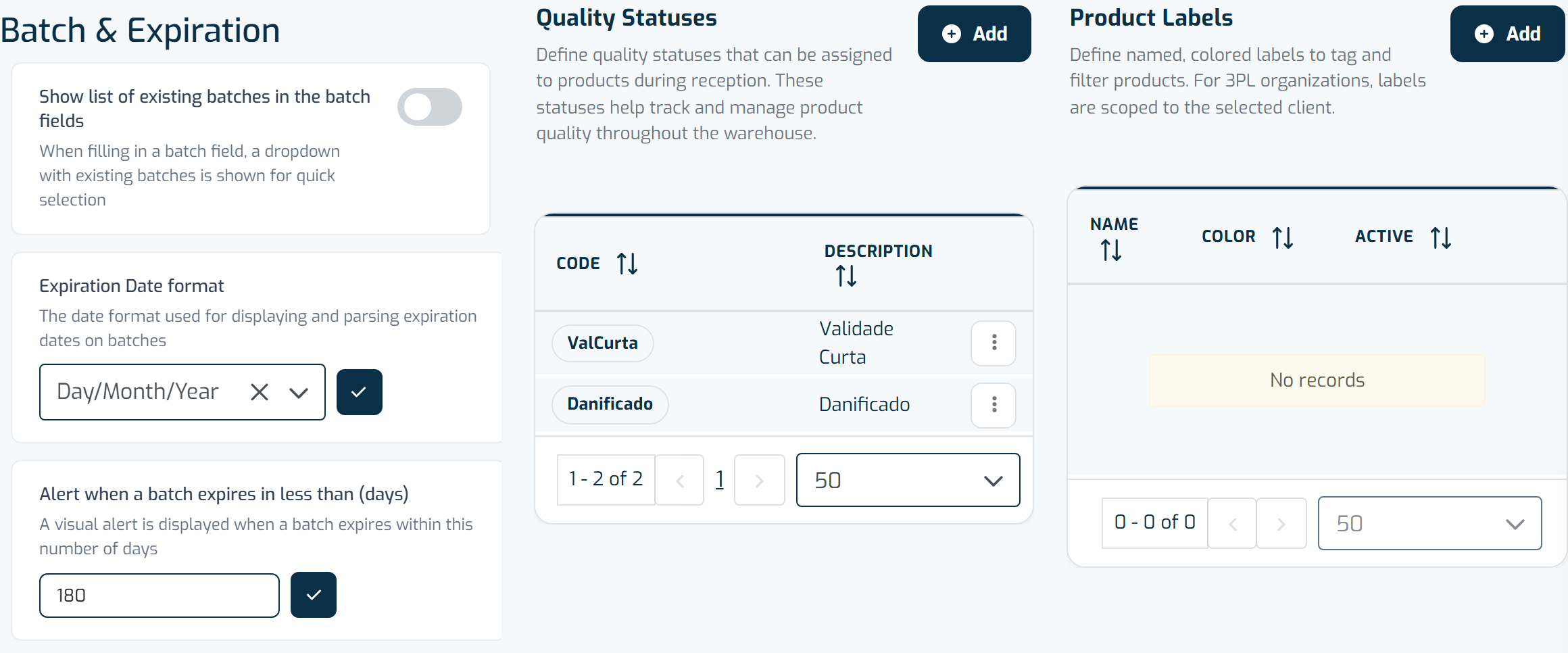
The Product tab lays out general product settings, quality statuses, and product labels side by side. -
Click the edit icon next to the field.
-
Choose the format that matches your logistics process:
- Year-Month-Day
- Year/Month/Day
- Day/Month/Year
- Day-Month-Year
- Month/Year
- Year/Month
-
Click the checkmark to save.