
Tera Scanner Model HW0010
The Tera Scanner HW0010 does not read AIM Codes, but it can send the Code ID so barcode types are still distinguished. Here is the setup.
The Tera Scanner Model HW0010 does not support reading AIM Codes. However, it allows the transmission of the Code ID, which, although different from the AIM Code, enables distinguishing the type of barcode being read. Therefore, the necessary configurations are as follows:
Instructions
1. Indicate that you want to add a prefix:

2. Indicate the prefixes to add (in this case, the character ] followed again by the character ] ):
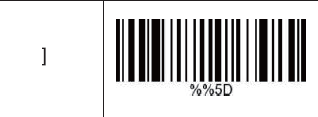
Add the first character ]
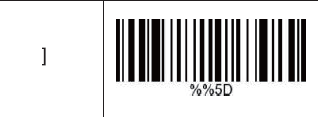
Add the second character ]
3. Configure the Code ID:
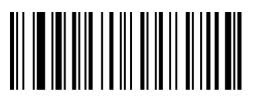
Code ID On
(note: when reading this code, the scanner will not make any sound; only the laser will disappear)
Test
Read the barcode below and check the result. The scanner should output the following code: ]]m5930383
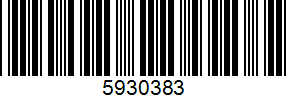
Attention: If other characters appear instead of ]], it means that the scanner's language differs from the language of the equipment it is connected to. You should try setting the scanner's language to match the equipment's.
If the equipment the scanner is connected to is set to English, read the codes below (try one at a time):
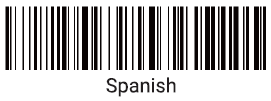
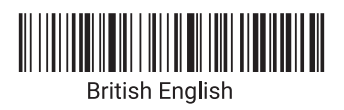
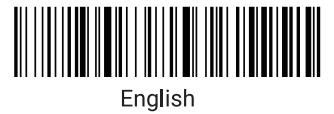
To deactivate the Code ID, read the code below:
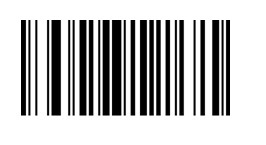
To deactivate the ]] prefix, follow these steps:
1. Read the following code:

2. Then, read the following code: