
How to set up Quality Control States?
Create and configure quality states (approved, blocked, quarantine) to control stock availability in LogisticsWMS.
Quality States let you flag stock that can't follow the normal flow — damaged, quarantined, past its expiry — right at reception or during a later inspection. An item marked with a quality state stays identified as such, but whether to keep it out of picking is still down to the operator.
Set up a Quality State
-
Go to Settings, in the sidebar.
-
In the Articles tab, select the Quality States tab.
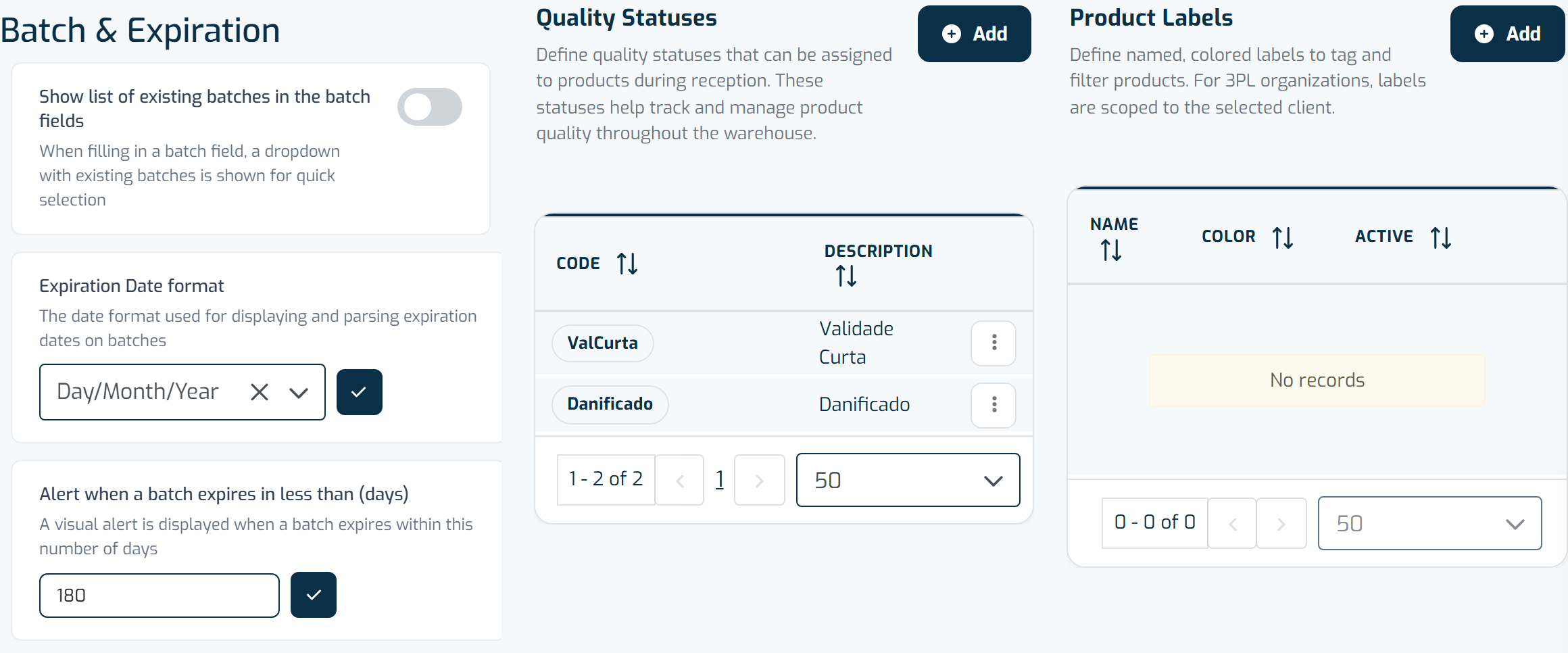
The Product tab lays out general product settings, quality statuses, and product labels side by side. -
Click + Add.
-
Fill in the Code and Description of the state.
-
Click Save.
Repeat for every state you need to track in your warehouse — for example Damaged or ShortExpiry.
Careful
Assigning a quality state to an item doesn't trigger any automatic action — it doesn't block the stock or remove it from picking. It only records, for each reception, which items are in quality; the analysis and everything that follows must still be done manually by the operator.