How to set up Container Types?
Configure volume types in LogisticsWMS for boxes, pallets and packaging, with dimensions and picking rules attached.
Container Types are the box, pallet and container definitions your warehouse uses for packing — each with its own barcode prefix, dimensions and rules.
Set up a Container Type
-
Go to Settings, in the sidebar.
-
Select the Container Types tab.
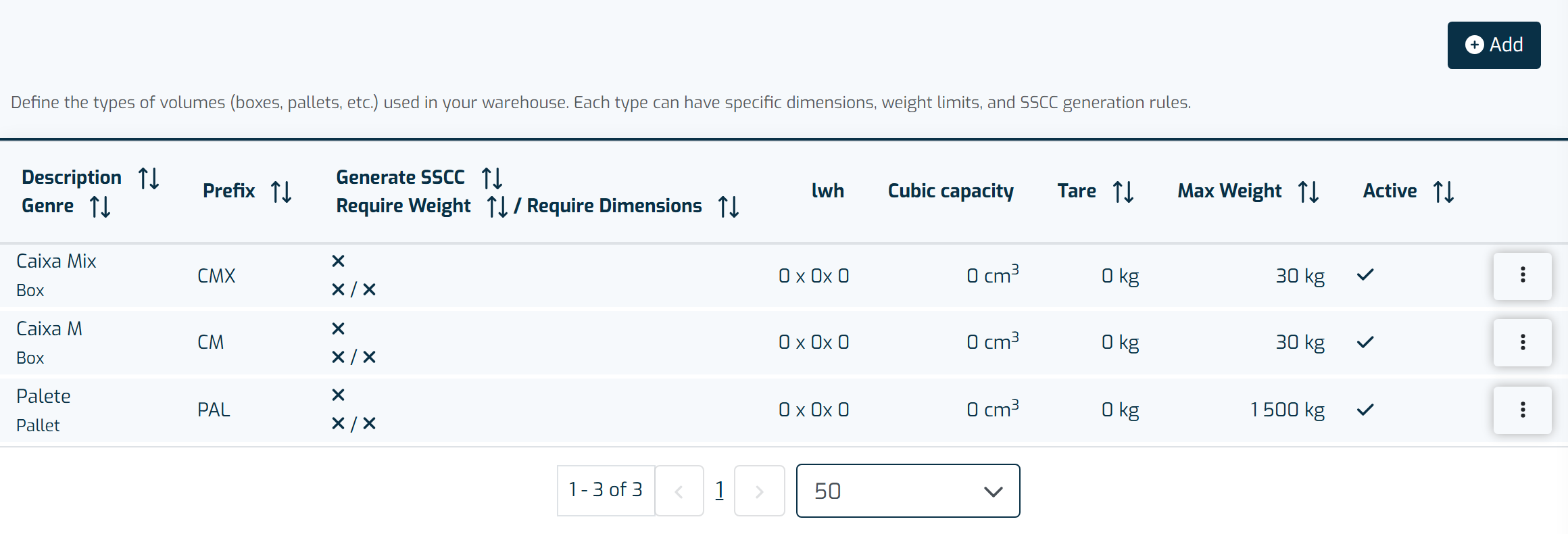
The container types defined here become available for use on containers throughout the application. -
Click + Add.
-
Fill in the mandatory fields:
- Type (Container, Pallet or Box)
- Description
- Prefix — the indicator that appears in the container's barcode
-
Optionally, fill in:
- Level — defines the hierarchy between containers
- Dimensions
- Generate SSCC — generates an SSCC code following GS1 rules
- Requires Weight and Dimensions — requires weight and dimensions to be filled in when closing Packing; if they're already filled in, only the weight is requested
- Maximum weight — pre-filled by default, but you can change it. When set, the system warns in Packing and in Shipping Notes if the container's total weight goes over this limit
-
Click Save.
Note
The container's code must be unique. Its barcode is the prefix + 5 digits, with application identifier 97 — so whenever you scan a container barcode, it comes in as 97 + prefix + 5 digits.