
Tera Scanner Model HW002
Setup guide for the Tera Scanner HW002: AIM Code and Group Separator configuration, with the scan codes to use.
Taking into account the Tera Scanner Model HW002, the settings to be configured are as follows:
1. Configure AIM Code
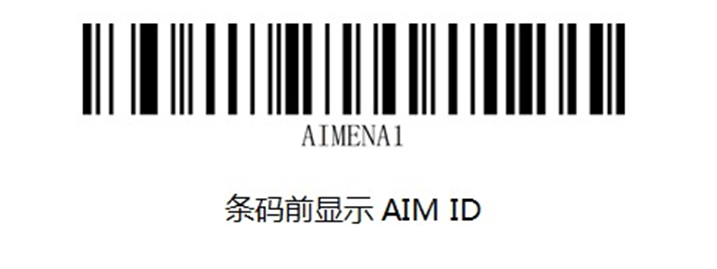
2. Configure the Group Separator (optional):
First, read the code below:

Next, read the code:

And finally, read the code:
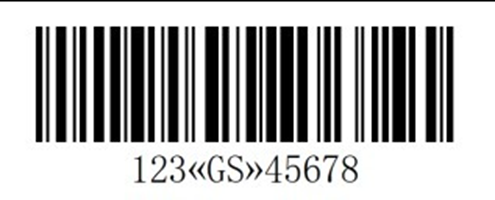
When reading a composite barcode, it should look as follows:
1 ]d301056003898234641724083010T007A21077743954326807145685474
The group separator, as well as the AIM Code, may appear differently from the example above, depending on the language set on the scanner (and the Operating System).
If you wish to undo the AIM Code configuration, please scan the barcode below: