
How to perform packing?
How to pack and prepare orders, move an already-packed product to another volume and control packings with products left to pack.
Packing refers to the process of packaging and preparing orders for their subsequent shipment.
Instructions
- Access the "Instructions" menu, available on the side menu or the home page of the application, under the "Outbound" section.
- Initiate the Packing process.
- Specify the Packing Zone. The zone requested by the instruction is shown inside the field itself, and moves up next to the label as soon as you start typing.
- Enter the Article/Volume details.
- Specify the quantity.
- If you don't want the article to be placed in any volume, press Enter.
- If you provide a volume code, the article/volume will be placed inside it (packed).
- Upon finishing the Packing, if the chosen volume types have parameters for weight and/or dimensions, you will be prompted to fill in this information.
- When everything is packed, select "Finish".
Note: If you wish to close the Packing with products still to be packed, you should select the option "I want to close the Packing with products to be packed" that appears in the modal.
Please be aware that to carry out a shipment, it must be in the "Estimated" state.
Moving a product that is already packed
If you scan a product that has nothing left to pack in the picking container, the application assumes you want to move it to another volume, instead of making you unpack it first:
- Scan the product as usual. A message tells you which volume the units are coming out of.
- If the product is spread over more than one batch or volume, each option shows the batch, the available quantity and the volume the units are currently in.
- Enter or scan the destination volume.
- The units move from one volume to the other.
Note: if you choose the volume the product is already in, you are warned and asked for a different destination | nothing is moved.
Controlling packing with products left to pack
If you need tighter control over your packings, you can enable the setting "Requires supervisor confirmation to close Packing with products left to pack", so that whenever an operator tries to close the packing without packing everything, it can only be completed with a supervisor's authorisation (and PIN). To do so:
-
Access the Settings menu in the sidebar;
-
In the Outbound tab, under Packing, turn on Require supervisor confirmation to close Packing with products left to pack.
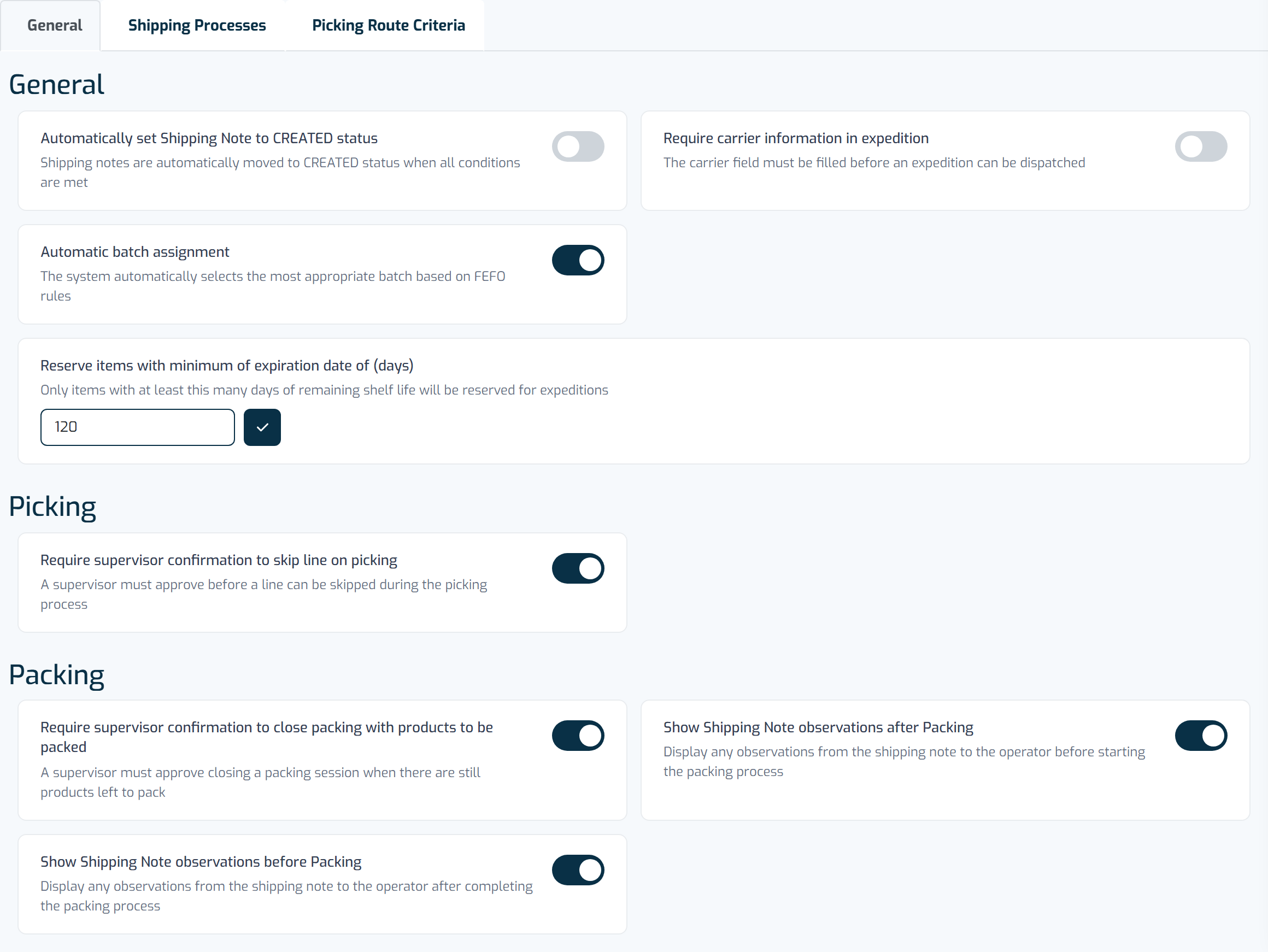
The Shipping tab groups general shipping settings, the shipping process, and picking route criteria.