
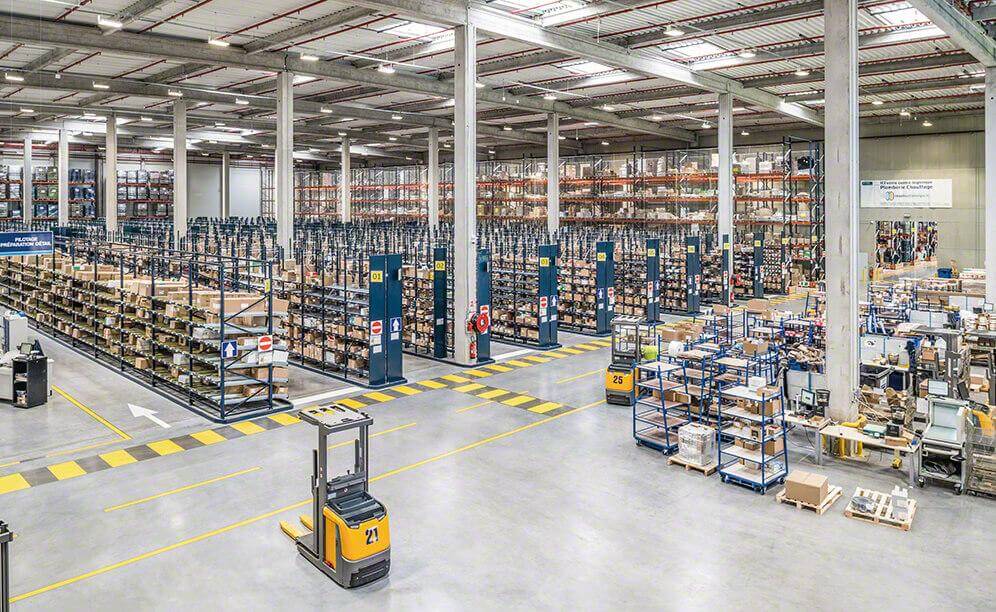
If you feel your operation is sluggish, your operators are spending too much time walking, or your inventory always seems to be in the wrong place, the problem might not be your team—it is likely your Warehouse Zoning.
Layout design is one of the biggest challenges you will face as a logistics manager. Let's break you out of that trap and turn your warehouse into a high-performance machine.
What is a zone in a warehouse layout?
Within a warehouse, there are specific spaces or areas allocated to different processes, product types, storage methods, or packaging requirements. We call these different spaces Zones. Imagine your warehouse as a city. Without defined neighborhoods (zones), services get confused and traffic becomes chaotic. In a warehouse, a zone is a specific area where processes, product types, or storage methods that share common properties are grouped together.
Zones serve to classify locations. A SKU (Stock Keeping Unit) can be stocked in a single zone or distributed across multiple zones, depending on its turnover and physical characteristics.
For example: Case storage and unit storage constitute separate zones. Certain medicines or food products need to be stored under controlled temperatures (in a refrigerator), meaning they must be placed in a Refrigerated Zone.
Why does your organization need multiple zones?
The short answer is efficiency and compliance. Without zones, you are mixing picking processes with receiving, or hazardous chemicals with food items. Intelligent zoning reduces operator travel time and ensures you meet safety and regulatory standards.
Types of Zones
To master your layout, you need to understand the specific needs of each product category:
1. Temperature-Controlled Zones
If you work in pharmaceuticals or the food industry, this zone is not optional—it is a requirement.
- Refrigerated Zone: keeps items between 38°F and 50°F (3°C to 10°C);
- Frozen Zone: for products requiring sub-zero temperatures, often reaching 0°F (-18°C) or lower.
💡 Strategic Tip: These zones should have ante-chambers to prevent "cold loss" and reduce energy costs.
2. Dry Storage Zone
This is the most common zone, yet often the most mismanaged, as its main enemy is humidity. Ideally, it should be kept between 50°F and 70°F (10°C to 21°C). If humidity or heat rises, you risk losing stock to contamination or packaging damage.
Risks: Above 70°F (21°C), the risk of insect activity and damage to canned goods increases. You may need air conditioning in the summer or heating in the winter to prevent items from freezing.
3. Hazardous Material Zone
Chemical, flammable, or toxic products require more than just space, they require absolute isolation and specialized infrastructure. From 2026, global safety standards are stricter than ever.
- Safety over Speed: this zone must prioritize containment. This includes spill kits, specialized fire suppression systems, and often physical barriers like fire-rated walls or reinforced mesh fencing with restricted access (codes or padlocks);
- Environment Control: proper ventilation is vital to prevent the buildup of fumes. Furthermore, you should implement specialized floor coatings to prevent chemical absorption in case of leaks;
- Regulatory Compliance: storing hazardous materials often requires specific labeling and documentation (such as SDS - Safety Data Sheets) to be instantly accessible. Failure to isolate these materials can lead to massive fines and, more importantly, put your entire workforce at risk.
4. Quality or Non-Conforming Zone
Think of this as your warehouse's "purgatory." This is where you isolate inventory that cannot be sold or shipped for specific reasons. Managing this zone correctly is the key to maintaining high customer satisfaction levels.
Types of Non-Conformity:
- Physical Damage: broken items or damaged primary packaging;
- Administrative Errors: discrepancies between the packing list and the physical count;
- Regulatory Holds: items waiting for laboratory approval or customs clearance.
The Golden Rule: Never mix this zone with your "Available to Promise" (ATP) stock. If your WMS doesn't logically lock these locations, you risk a picker accidentally grabbing a defective item. A well-managed Quality Zone prevents the "hidden costs" of reverse logistics and brand damage.
5. Oversize Storage Zone
Not everything fits into a standard pallet rack. Oversized items, such as industrial machinery, long pipes, or bulky furniture, require a dedicated strategy to avoid "clogging" your warehouse flow.
- Space Optimization: instead of traditional racking, these zones often use cantilever racks or open floor stacking areas;
- Operational Flow: by centralizing bulky items, you prevent oversized forklifts or reach trucks from entering narrow picking aisles. This keeps your high-velocity picking lanes clear for standard operations, significantly reducing the risk of accidents and bottlenecks;
- Equipment Requirements: remember that this zone often requires specialized handling equipment (heavy-duty cranes or side-loaders), so it should be positioned near wide access doors to facilitate entry and exit.
Advanced Zoning Strategies
To achieve elite results, you should consider zoning by Velocity (ABC Analysis):
- Zone A (High Velocity): Near the shipping areas. This is where your best-sellers live.
- Zone B (Medium Velocity): In the center of the warehouse.
- Zone C (Low Velocity): In the furthest areas or on the highest rack levels.
🚀 Did you know? The use of <a href="/en/glossary/cross-docking" class="text-secondary-orange hover:underline">Cross-Docking</a> zones allows goods to move from receiving directly to shipping without ever reaching the racks, reducing handling costs by nearly 100%.
How does LogisticsWMS work with zones?
A modern warehouse cannot survive without technology. LogisticsWMS is designed to handle an unlimited number of zones, adapting as your business grows.
In the system, you can configure zones by process type:
- Receiving and Unloading: Where the flow begins.
- Picking and Packing: Where precision is king.
- Dispatch (Shipping): The final gate before the customer.
The big advantage? The WMS allows you to create hierarchies. Within a "Picking Zone," you can have sub-zones for "Unit Picking" or "Case Picking," automatically optimizing every operator's path.
Conclusion
When designing your layout, remember that a zone is defined by your processes and not just the building's walls. You must analyze activity volume, product rotation, and, above all, safety.